

 Australia
 USA
USA UK
UK Ireland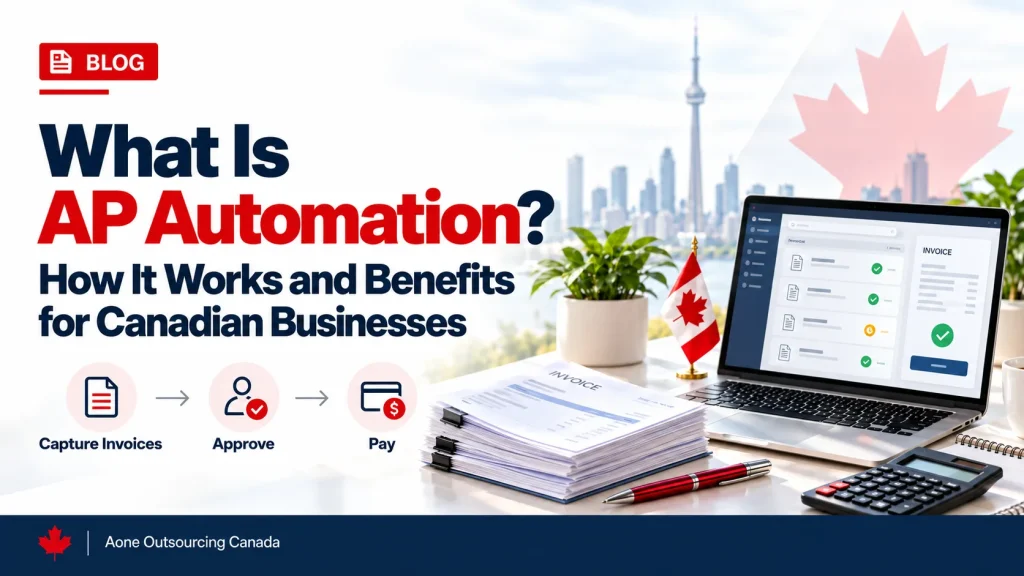




What Is AP Automation in Accounting?
AP automation combines software and digital workflows to automate and streamline invoice processing, approvals, payments, and related accounts payable activities.
Rather than having to manually enter the information about the invoice, process the paper invoice, go through emails for the approval of the transaction, and manually schedule payments, companies will be able to do all of those things electronically. The process will provide a digital audit trail of the invoice from the moment the company receives it until the payment is made.
For Canadian businesses, accounts payable workflows may need to accommodate GST/HST rules, applicable provincial tax requirements, ITC documentation, payment methods such as EFT, and existing accounting systems, depending on the business and its transactions.
What Processes Does AP Automation Cover?
The AP process can be automated to help to make invoice processing and payments more efficient.
- Invoice Receipt: Invoices received through sources such as email attachments, supplier portals, EDI feeds, scanned paper invoices, or mobile capture are collected in a digital system, reducing the need for manual data entry.
- Data Extraction: OCR or AI-driven document processing can help identify data related to supplier name, invoice number, invoice date, line items, quantity, price, tax amount, and other custom fields. Once identified, these fields can be validated based on configured rules before proceeding to the match/approval stage.
- GST/HST tax coding: Depending on the platform and configuration, tax rules can be applied to invoice data based on factors such as the type of supply, place of supply, and applicable tax codes. Exceptions or uncertain tax treatments may require review by the finance team for clarification.
Source: CRA GST/HST place-of-supply rules - Purchase Order (PO) Matching and Invoice Coding: For PO-based invoices, extracted invoice data can be compared with the purchase order. Two-way matching compares the invoice with the PO, while three-way matching also includes the receiving document. Differences in quantities, prices, or other configured fields can be flagged for review. Non-PO invoices can instead follow the appropriate General Ledger (GL) coding and approval workflow established by the business.
- Approval Routing: Based on rules like department, amount, GL code, or vendor, the invoices are sent automatically to the right approver. An approver can approve the invoice online and does not have to go through lengthy email exchanges.
- Exception handling: Invoices that have some errors in information or are duplicates are sent for manual review, so the exception invoices get handled manually, whereas the other invoices keep moving automatically.
- Invoice posting: Approved invoices are posted to the accounting system to record the payable and the relevant expense or asset, along with the applicable tax treatment. Invoice posting is also part of the day-to-day work covered by bookkeeping services canada.
- Payment scheduling and release: Depending on the provider and banking integration, AP automation may support payment methods such as EFT, wire transfers, cheques, credit cards, and other available options. ACH may also be supported for certain U.S. supplier payments.
- Payment Recording and Reconciliation: When a payment is made, it is recorded against the outstanding payable. AP balances and payment records are then reconciled with the general ledger and bank records to help identify and resolve any differences.
The goal of accounts payable process automation is to reduce repetitive manual work while maintaining appropriate review, approval, and authorization controls.
Who Needs AP Automation in Canada?
AP automation becomes particularly useful when manual invoice processing starts creating bottlenecks in data entry, approvals, payment scheduling, or reconciliation. With an increase in the volume of invoices, manual processing like data entry, approvals, payment processing, and reconciliations takes up a lot of time and may cause mistakes. AP Automation allows a company to manage its processes effectively using standard workflows.
- Growing SMBs: Businesses that are expanding can see advantages when the volume of invoices increases; it is hard to track approvals, payment deadlines are often missed, and there is a lot of time spent on data entry.
- Multi-province businesses: Multi-provincial businesses can use AP automation to support GST/HST and applicable provincial tax coding, capture information needed for input tax credits (ITC), and, where applicable, QST input tax refunds.
- CPA firms with AP-intensive clients: Firms managing AP for multiple clients can use a scalable workflow for invoice capture and approvals.
Businesses considering broader accounting support beyond AP can also explore our guide to top accounting outsourcing companies in Canada .
How Does AP Automation Work?
AP automation mainly follows a connected workflow that helps move an invoice from receipt and data capture through approval, payment, and financial reconciliation:
- Invoice Receipt: Invoices received through sources such as email attachments, supplier portals, EDI feeds, scanned paper invoices, or mobile capture are collected in a digital system, reducing the need for manual data entry.
- Data Extraction: OCR or AI-driven document processing can help identify data related to supplier name, invoice number, invoice date, line items, quantity, price, tax amount, and other custom fields. Once identified, these fields can be validated based on configured rules before proceeding to the match/approval stage.
- GST/HST tax coding: Depending on the platform and configuration, tax rules can be applied to invoice data based on factors such as the type of supply, place of supply, and applicable tax codes. Exceptions or uncertain tax treatments may require review by the finance team for clarification.
Source: CRA GST/HST place-of-supply rules - Purchase Order (PO) Matching and Invoice Coding: For PO-based invoices, extracted invoice data can be compared with the purchase order. Two-way matching compares the invoice with the PO, while three-way matching also includes the receiving document. Differences in quantities, prices, or other configured fields can be flagged for review. Non-PO invoices can instead follow the appropriate General Ledger (GL) coding and approval workflow established by the business.
- Approval Routing: Based on rules like department, amount, GL code, or vendor, the invoices are sent automatically to the right approver. An approver can approve the invoice online and does not have to go through lengthy email exchanges.
- Exception handling: Invoices that have some errors in information or are duplicates are sent for manual review, so the exception invoices get handled manually, whereas the other invoices keep moving automatically.
- Invoice posting: Approved invoices are posted to the accounting system to record the payable and the relevant expense or asset, along with the applicable tax treatment. Invoice posting is also part of the day-to-day work covered by bookkeeping services canada.
- Payment scheduling and release: Depending on the provider and banking integration, AP automation may support payment methods such as EFT, wire transfers, cheques, credit cards, and other available options. ACH may also be supported for certain U.S. supplier payments.
- Payment Recording and Reconciliation: When a payment is made, it is recorded against the outstanding payable. AP balances and payment records are then reconciled with the general ledger and bank records to help identify and resolve any differences.
The goal of accounts payable process automation is to reduce repetitive manual work while maintaining appropriate review, approval, and authorization controls.
AP Automation in Canada: What’s Different
- Multi-province tax coding: AP automation can help businesses apply configured GST/HST and applicable provincial tax codes based on the applicable tax rules and transaction details. It can also help capture and organize information needed to support Input Tax Credits (ITCs) and, where applicable, QST Input Tax Refunds.
- CRA ITC documentation tiers: The CRA has different documentation requirements for transactions under CAD 100, CAD 100 to less than CAD 500, and CAD 500 or more. These thresholds are based on the total amount paid or payable shown on the supporting documentation.
Source: Excise and GST/HST News – No.118 - Canadian Payment Methods: Depending on the provider and banking integration, AP automation solutions may support EFT and other payment methods used by the business. Businesses should confirm that a solution supports their required payment methods and integrates with their bank or payment processor.
What Are the Benefits of AP Automation for Canadian Businesses?
| Benefits | What It Means in Practice |
|---|---|
| Faster Invoice Processing | Process improvements involving automation of data gathering, matching, and approvals reduce delays in these processes. |
| Potentially Lower Processing Costs | Automation can reduce repetitive manual work and paperwork, which may lower processing costs. Businesses should also consider software, implementation, integration, and ongoing oversight costs. |
| More Consistent Tax Coding and Documentation | Configured tax rules, validation checks, and document capture can help improve consistency in tax coding and supporting documentation for CRA and ITC purposes, while exceptions may still require review. |
| Early Payment Discounts | Payment scheduling can help businesses meet supplier discount deadlines when early-payment discounts are available, potentially reducing costs on eligible invoices. |
| Strong Fraud Detection and Payment Controls | Duplicate invoice identification, approval controls, and two- or three-way matching can help uncover abnormal and possibly erroneous transactions. |
| Better Visibility Into Upcoming Payments | AP dashboards give insight into overdue invoices, upcoming payments, and amounts owed to suppliers. |
| Greater Capacity as Invoice Volumes Grow | Automated processes allow the handling of larger numbers of invoices without necessarily involving a similar increase in manual administration. |
AP Automation Limitations and Implementation Challenges
Although AP automation can reduce manual work, it does not remove the need for human review. OCR and AI-based extraction may incorrectly capture information from unclear, incomplete, or unusual invoices, while poor supplier data can also create processing errors. These exceptions may need to be reviewed and corrected manually.
Businesses may also face challenges when integrating AP automation with their existing accounting systems, banks, or other software. Initial setup, implementation, and employee training can require additional time and cost. For this reason, businesses should consider both the benefits and the resources required to implement and manage an AP automation system effectively.
How to Choose an AP Automation Solution in Canada
When choosing an AP automation solution, Canadian businesses should first check whether it is compatible with their existing accounting system and can support their tax and payment requirements. This includes support for GST/HST and applicable provincial tax configuration, CAD and foreign currencies where required, and payment methods such as EFT.
Businesses should also review access permissions, approval and payment controls, integration options, and the ability to export invoice documents and financial data when needed. Finally, the total cost should be considered, including software subscriptions, implementation, integrations, payment fees, and ongoing support or oversight costs.
AP Automation vs. Outsourced Accounts Payable: What’s the Difference?
Accounts payable outsourcing services involve hiring an external service provider to manage agreed-upon AP activities, such as invoice processing, vendor payments, and reconciliation. A business may outsource its entire AP function or selected activities while keeping others in-house.
AP automation, on the other hand, is a technology-enabled process that uses software, configured workflows, rules, and integrations to reduce manual AP work. The two approaches can also be combined, as an outsourced AP provider may use automation tools to manage agreed activities.
Conclusion
AP automation can help businesses create a more organized and efficient accounts payable process by reducing repetitive manual work and improving control over invoices, approvals, and payments. However, its effectiveness depends on choosing a solution that fits the business’s existing systems, workflows, and requirements.
Before choosing an AP automation solution, businesses should identify where delays, errors, or manual work occur in their current AP process. They can then compare solutions based on accounting-system compatibility, approval and payment controls, supported payment methods, tax configuration, integration requirements, and overall costs. This can help businesses select a solution that meets their AP needs while maintaining proper financial review and authorization controls.
Need Support With Your Accounts Payable Workflow?
Explore Aone Outsourcing’s accounts payable services for Canadian businesses, CPA firms, and accounting firms.
Frequently Asked Questions
What is the difference between manual and automated accounts payable?
Manual AP includes repetitive data entry, delays in the approval process, and restricted visibility regarding payments. Automated AP makes use of OCR (Optical Character Recognition), workflow automation, and dashboards to streamline these activities.
Is AP automation the same as AP software?
No. AP software is the technology used to manage accounts payable activities, while AP automation is the use of software together with rules, workflows, integrations, and controls to automate those activities. AP software may still require significant manual involvement, whereas AP automation focuses on reducing manual work through configured processes.
Who needs AP automation in Canada?
AP automation can help Canadian businesses with growing invoice volumes, slow approvals, or frequent manual errors. It can also support accounting firms managing accounts payable for multiple clients.
How much does AP automation cost in Canada?
The cost of AP automation in Canada varies by provider and business requirements. Pricing may be based on the number of invoices or transactions, users, monthly subscriptions, or tiered volume plans. Additional costs may include implementation and integration fees and payment transaction charges. The overall cost depends on factors such as invoice volume, integrations, number of users or entities, workflow complexity, and payment functionality.
How does AP automation handle GST/HST in Canada?
AP automation can capture GST/HST information from invoices, apply configured tax codes and validation rules, and retain invoice documentation that may support ITC record-keeping. The exact tax treatment depends on the transaction and applicable GST/HST rules, so exceptions or uncertain cases may require review.