

 Australia
 USA
 UK
 Ireland
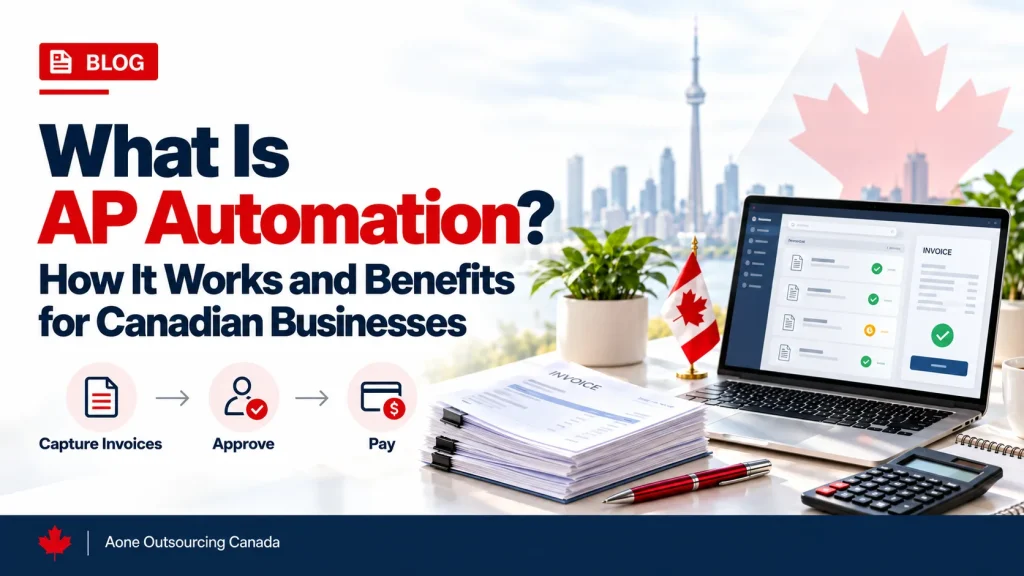




What Is AP Automation in Accounting?
Accounts payable is the work of paying what your business owes. When done manually, someone keys invoice details into a ledger, prints approval forms, and files paper copies in a cabinet.
The trouble shows up when you need to find something. It can take a lot of time and effort to track down who approved an invoice and when you made payment. The CRA’s advice on where to store your records is clear: keep them in an electronically readable format, and your business remains responsible for the records even if your software has a fault.
AP automation replaces those manual steps with a digital workflow. You can store all invoice-related documents in one file to maintain an audit trail. See more information about our AP services to support. See more information about our AP services to learn how we can support your business.
What Processes Does AP Automation Cover?
Accounts payable is a chain of small jobs, and a weak link at any point slows down everything after it. Not processing vendor invoices received on time may lead to late payments to vendors. An approval stuck in someone’s inbox can leave a supplier waiting. Delayed invoice processing can complicate proper invoice classification.
Many businesses choose accounts payable automation so these steps run as one process. A finished system includes:
- Invoice intake: Invoices arrive by email, supplier portal, EDI, or paper scan, and the system enters each one the same way.
- Data extraction: The system extracts data, including the supplier name, GST/HST registration number, document date, and invoice item and tax details.
- GST/HST tax coding: The correct tax coding is applied to each line item, depending on the province and type of supply.
- Two-way and three-way matching: Invoices are matched with purchase orders and receiving records.
- Approval routing: Invoices go to the right approver based on department, amount, or vendor.
- Exception handling: Incomplete fields and duplicate records are flagged for review.
- Payment execution: Approved invoices are paid by EFT, wire, cheque, or card.
- Reconciliation and posting: We match payments to bank activity and post them to the general ledger.
- Record retention: We store records electronically and keep them available for the full retention period.
Many of these steps are routine ledger and reconciliation work. If you’d rather not handle that in-house, our bookkeeping support for Canadian businesses can take it on.
Who Needs AP Automation in Canada?
Not all companies need AP automation processes immediately. Most companies will reach a point where the old way stops working. Invoice volumes climb, approval chains grow longer, and staff lose hours each week to data entry. Payment delays add to the pressure. According to Payments Canada’s Behaviour Tracker, 27% of small and medium businesses reported payment delays as their biggest challenge over the past six months.
Three situations usually point toward automation:
- Growing small and medium businesses where invoice volumes rise, and approvals take longer every month.
- Multi-province businesses that buy or sell across provinces, where the same supply may carry different tax treatment.
- Accounting firms providing AP services to several clients who need consistent records each time.
Some businesses in these situations also pair automation with outsourcing, and the top outsourced AP services in Canada differ in how they handle approvals, tax coding, and record-keeping.
How Does AP Automation Work? (Step by Step)
Manual AP depends on a sequence of checks, and each check takes time. When any step relies on a person remembering it, mistakes slip through. A missing registration number or mismatched price can cost a business a valid input tax credit or delay payment. Accounts payable process automation runs these checks in order, every time, and records what happened at each stage. This seven-step list represents the process from invoice receipt to ledger posting.
1. Invoice receipt. AP invoice automation collects invoices from email, portals, and scanned paper, so no one has to key them in by hand.
2. Data extraction. The system captures only relevant information, including supplier name, date, amount, tax information, and registration number. Staff review only the fields that look unclear.
3. GST/HST coding. Each line item gets the correct tax treatment based on the supply and the province. The coding follows the input tax credit (ITC) documentation rules, so the business can support the credits it claims.
4. Matching. The system compares the invoice with the purchase order and, when applicable, the receiving record. The system holds mismatches in price, quantity, or vendor for review before any money moves.
5. Approval routing. Invoices go to the right approver based on department, amount, or vendor. Log each approval with the approver’s name and the date.
6. Exception handling. Invoices missing required details are held back until they are fixed. The registration number on larger invoices is a common example.
7. Payment and reconciliation. Approved invoices are paid by EFT or in other ways. Then, the team reconciles bank statements with payment records and posts them to the general ledger.
AP Automation in Canada: What’s Different
Canadian AP processes have special requirements that generic software can’t address. Applying a single tax rate across the country can lead to coding errors. A missed T4A flag can leave year-end reporting incomplete. Delays in payments may result from errors in payment processing. Look for a system that handles these four areas:
- Multi-province tax. The federal GST rate is 5%. Provinces add their own sales tax, either as HST, as a separate PST, or as QST in Quebec, so the system should apply the right treatment for each province.
- ITC documentation tiers. Under the federal regulation (SOR/91-45, section 3), invoices under $100 need the supplier name, date, and total. For invoices from $100 to under $500, the invoice also needs the GST/HST registration number and tax information. For invoices of $500 or more, they also need the recipient’s name, payment terms, and a description of each supply.
- T4A reporting. Vendor payments of $500 or more in a calendar year generally need to be reported on a T4A slip. The system should flag these vendors as payments happen, not at year-end. For more information on reporting payments, see the T4A reporting guide.
- Payment rails. Most electronic payments in Canada run through the Automated Clearing Settlement System (ACSS), which clears cheques and items such as pre-authorized debits, direct deposits, and Interac debit. The Bank of Canada oversees these systems and lists them on its payment systems page. The US uses ACH, so use that term only when describing payments to US vendors.
AP Automation vs. Outsourced Accounts Payable: What’s the Difference?
The two terms are often used interchangeably, but they refer to different services. AP automation services involve software and workflow tools. Outsourced accounts payable services involve a team of AP specialists who provide the service to your company and often use the same AP tools.
| Factors | AP Automation | Outsourced Accounts Payable |
|---|---|---|
| What it is | Software for receiving, matching, routing, and paying invoices | A dedicated team that manages the full AP function |
| Who does the work? | Your in-house staff, with software handling repetitive steps | Outside provider, with in-house employees approving key decisions |
| Best suited to | Businesses with experienced AP staff seeking efficiencies | Businesses short on staff, time, or Canadian tax expertise |
| What stays with you | Setup, exception handling, tax decisions, and compliance | Approval and monitoring process, including policy decisions |
The choice is not always either/or. Many Canadian businesses use automation to handle volume and an outsourced team for other functions, like GST/HST coding and year-end reporting. If your in-house team already has the skills and time to manage the workflow, software alone may be enough. Outsourcing can help if you don’t have enough in-house staff or tax expertise.
What Are the Benefits of AP Automation for Canadian Businesses?
Many AP teams spend significant time on manual tasks like searching for old invoices, fixing other documents, and obtaining tax information. Those losses add up over a year and are hard to spot in a spreadsheet. They show up as late payments, rushed record requests, and unclaimed credits. Automation handles these tasks the same way every time:
| Benefits | What It Means |
|---|---|
| Faster record retrieval | Electronic records are kept in an accessible format for six years, so pulling them for the CRA takes far less time. |
| Consistent ITC documentation | The system checks each invoice against its documentation tier before approval, which reduces claims held up by missing details. |
| Timely T4A flags | Payments to contractors and vendors are flagged as they happen. At year-end reporting time, you don’t need to remember all contractor and vendor details. |
| Steadier payments | Clear approval rules and scheduled payment runs reduce late payments, which businesses find hardest to manage. |
| Growth without matching headcount | Improved processes let the same number of administrative employees process more invoices, freeing time for other work, including managing vendor relationships. |
| Cleaner cash flow visibility | Once payables run on a predictable schedule, it is easier to align them with accounts receivable data and see what cash is coming in and going out. |
AP Automation Limitations and Implementation Challenges
AP automation eliminates manual tasks, but it is not a hands-off fix. Here are some limitations to consider before implementing AP automation:
- Setup and integration work. The system must connect to your accounting software and support new vendor and approval processes. Outdated vendor information and old accounting practices can cause errors in the new system.
- Invoice quality. Poor scans, handwritten notes, or unusual invoice layouts can reduce extraction accuracy, so staff still need to review unclear fields.
- Exceptions still need people. Price mismatches, missing registration numbers, and duplicate invoices are flagged, not resolved. There should be someone to monitor and address exceptions.
- Compliance stays with you. Tax software may include GST/HST codes and other features to help identify missing information, but it cannot determine whether the taxpayer is entitled to input tax credits. Your business remains responsible for its records and T4A reporting.
- Adoption takes effort. Approvers who keep handling invoices by email or on paper undercut the workflow. Clear rules and short training help the new process stick.
- Vendor onboarding. Vendors may need to change their invoicing processes, which can take time.
None of these are reasons to avoid automation. They are reasons to start with clean data, clear approval rules, and a process designed around Canadian requirements.
Conclusion
Many companies think that automating processes relieves them of compliance requirements. It does not. Software can speed up invoice handling, but the business still handles GST/HST coding, record-keeping, and T4A reporting. Mistakes and omissions on T4A slips are likely to be identified through audits.
If your staff has the skills and resources to manage the workflow, software alone may be sufficient. If not, outsourced accounts payable services provide a team of specialists who run the function for you, often using those same tools. Many accounting outsourcing companies in Canada offer this model, combining software with staff who handle coding, approvals, and exceptions.
Need Help With Your AP Workflow?
Talk to our team about how your accounts payable workflow can meet Canadian compliance requirements.
Frequently Asked Questions
What is AP automation in accounting?
AP automation uses technology to automate accounts payable functions such as invoice capture, approval, payment, and posting. Advantages of AP automation include eliminating paper and other manual processes and improving workflow processes with a clear, searchable record of each step.
What is the difference between manual and automated accounts payable?
Manual AP processes involve human and paper-based activities at various stages of accounts payable. These activities increase the risk of errors. Automated AP processes provide documentation and audit trails at every stage. Employees can quickly supply requested documentation for the CRA and other internal auditors.
Is AP automation the same as AP software?
Not quite. AP automation is a process. AP software is one way to achieve AP automation. Buying only AP software without other process changes will limit your benefits from AP automation. You’ll get the best results by improving both processes and software.
Who needs AP automation in Canada?
Companies receiving more invoices or with multi-province tax obligations and accounting firms with multiple AP clients are most likely to benefit from automated AP processes. If approvals are slowing down or staff spend hours on data entry, it is worth a closer look. The section above on who needs AP automation covers the three triggers in more detail.
How long must Canadian businesses keep AP and invoice records?
Businesses must generally keep records for six years from the end of the last tax year they relate to. Keep these business records in an accessible electronic format for the full period. Other rules may apply; see the CRA’s guidance for more information.
Does AP automation handle GST/HST in Canada?
Good AP software can apply GST/HST tax coding, capture required invoice details, and flag anything missing. The software can’t tell you whether your business qualifies for an input tax credit. See federal regulations about documentation requirements for claiming input tax credits.